Clinic owners
Track revenue, bookings, branch performance and customer status without waiting for manual reports.
CRM for multi-branch aesthetic clinics
Zuno CRM unifies scheduling, customer records, omni-channel conversations, payments, inventory and reporting in one clear workspace for aesthetic clinics.
Core operating flows in one workspace
The Zuno way
Instead of keeping calendars, spreadsheets, inboxes, POS and reports apart, Zuno brings every team back to the same data source.
Track revenue, bookings, branch performance and customer status without waiting for manual reports.
Standardize front desk, consultant, doctor, accounting and stock workflows with clear statuses.
Handle multi-channel conversations faster with templates, customer history and clear care statuses.
Open records, photos, notes and treatment history at the right moment in the care workflow.
Old way vs Zuno way
Core workflows
Scroll through each workflow to see how data, teams and daily operations connect inside Zuno.
Customer record
Every customer has one continuous profile: consultation history, images, packages, balances and care notes.
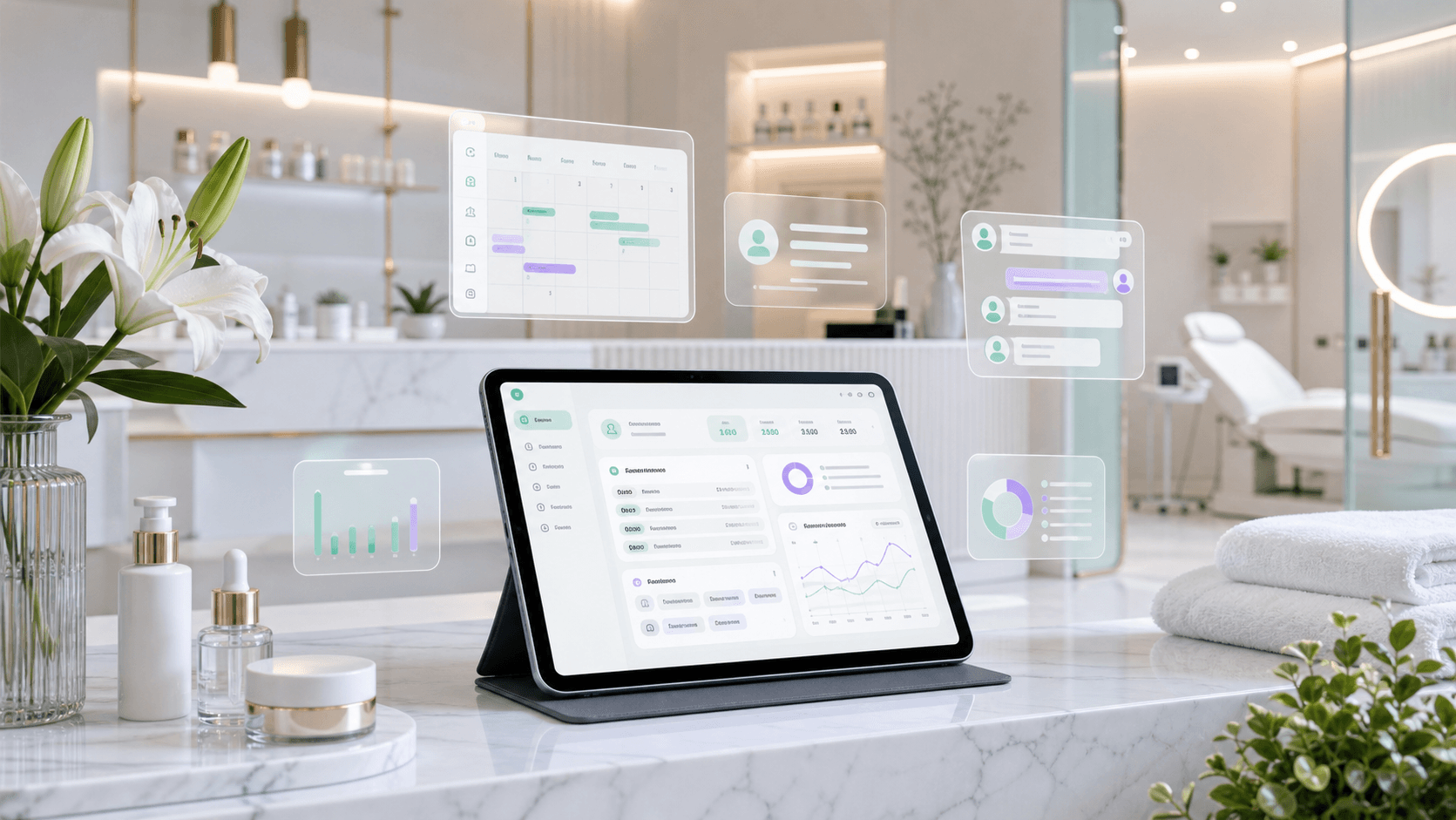
Front desk
Front desk teams can book, reschedule, collect payments, issue invoices and manage outstanding balances in one flow.

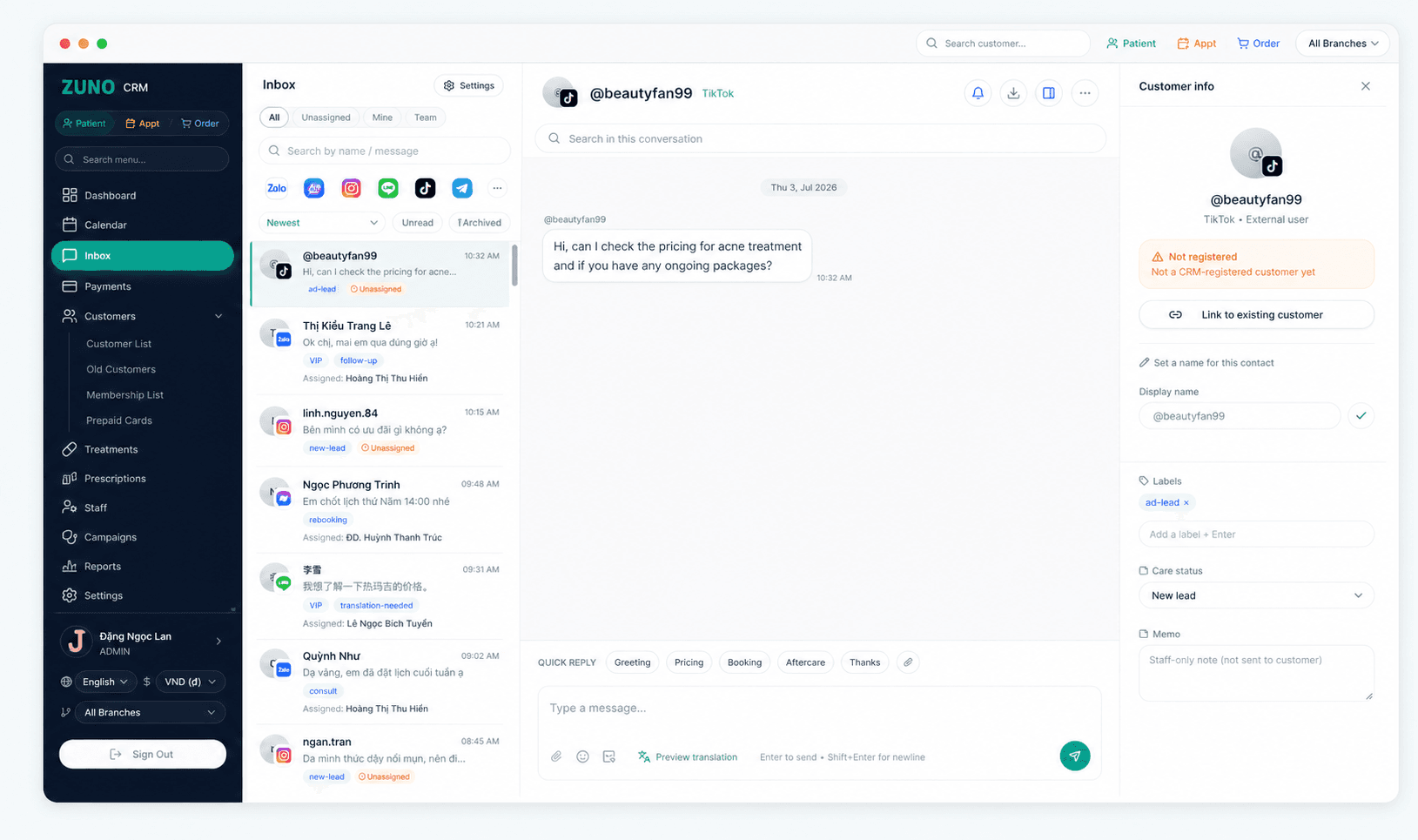
Unified inbox
Manage conversations from Zalo, Messenger, Instagram, and LINE in a single shared inbox.
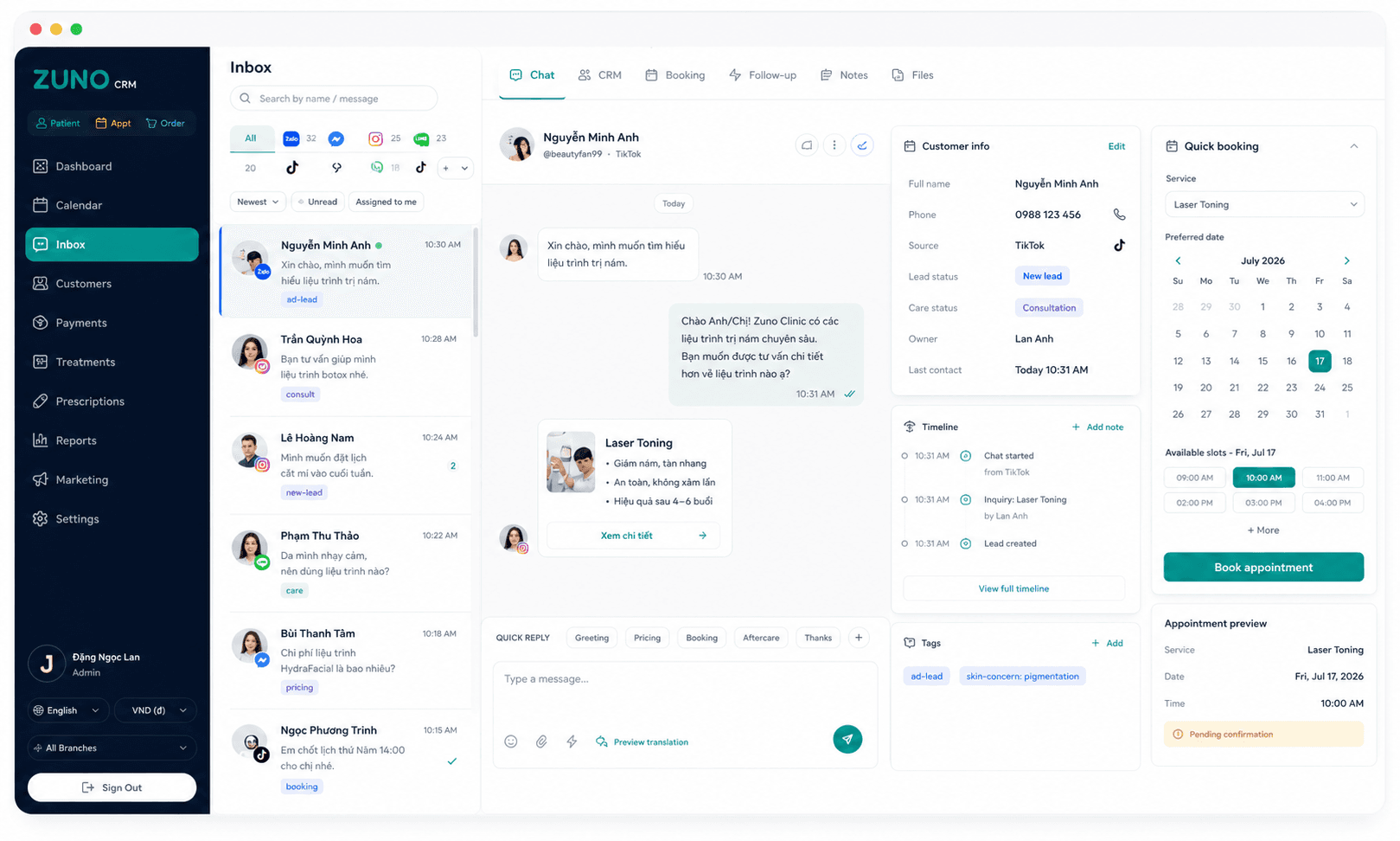
No tab-switching
Eliminate tab-switching with our true one-screen workflow for chat, CRM context, booking, and follow-up.
Business outcomes
These are the product messages the website must carry: unify data, reduce tool fragmentation and help teams make decisions faster.
1
Every team works from the same customer profile and interaction history.
5+
Reduce switching between calendar apps, spreadsheets, POS, inboxes, invoices and reports.
3
Vietnamese, English and Korean support multi-national clinic teams.
24/7
Dashboards and customer records stay ready so teams can track the next task.
Integrations
The website does not need to promise every possible integration. It should show that the clinic's main operating channels can live in one data flow.
Rollout
Localization
This matters for clinics with foreign investors, managers or providers operating alongside local teams in Vietnam.
Vietnamese
Front desk, consultants and operations teams work with familiar terminology.
English
Investors, foreign managers and implementation teams share the same data.
Korean
Korean owners or managers can monitor activity without relying fully on translation.
Implementation packages
For one clinic standardizing front desk, records and payments.
For growing clinics that live in the inbox and need a standardized lead-care workflow.
For clinic groups that need branch control, permissions and deeper reporting.
Security and localization
No need to change every process on day one
Invite operations, front desk and IT to the same demo
Rollout prioritizes data, permissions and team training
FAQ
This section lowers friction for clinics currently operating across many different tools.
It can replace disconnected parts such as scheduling, customer records, POS, inboxes, reporting and parts of inventory management. During the demo, Zuno should review your current tools and define what can move immediately and what should be integrated or phased.
Yes. The product positioning is built around multi-branch operations with role and location-based access, so owners can see the full picture while each staff member works within the right scope.
If final pricing is not ready, use implementation packages by clinic size and explain the main quote drivers: branches, users, integrations, migration needs and onboarding support.
Share your branch count, chat channels and current operating flow. The Zuno team can prepare a demo around your actual needs.